CEO, Alsona
Outbound campaigns rarely fail all at once.
They usually break in small places.
The source is too broad. The connection request is fine, but the first message is flat. The follow-up comes too soon. The CTA asks for too much. The email and LinkedIn messages say almost the same thing. The replies are coming in, but they are not the right kind of replies.
On paper, the workflow looks normal.
In practice, it leaks opportunities.
That is one of the best use cases for AI in outbound: spotting the weak points that are easy to miss when a campaign has too many moving parts.
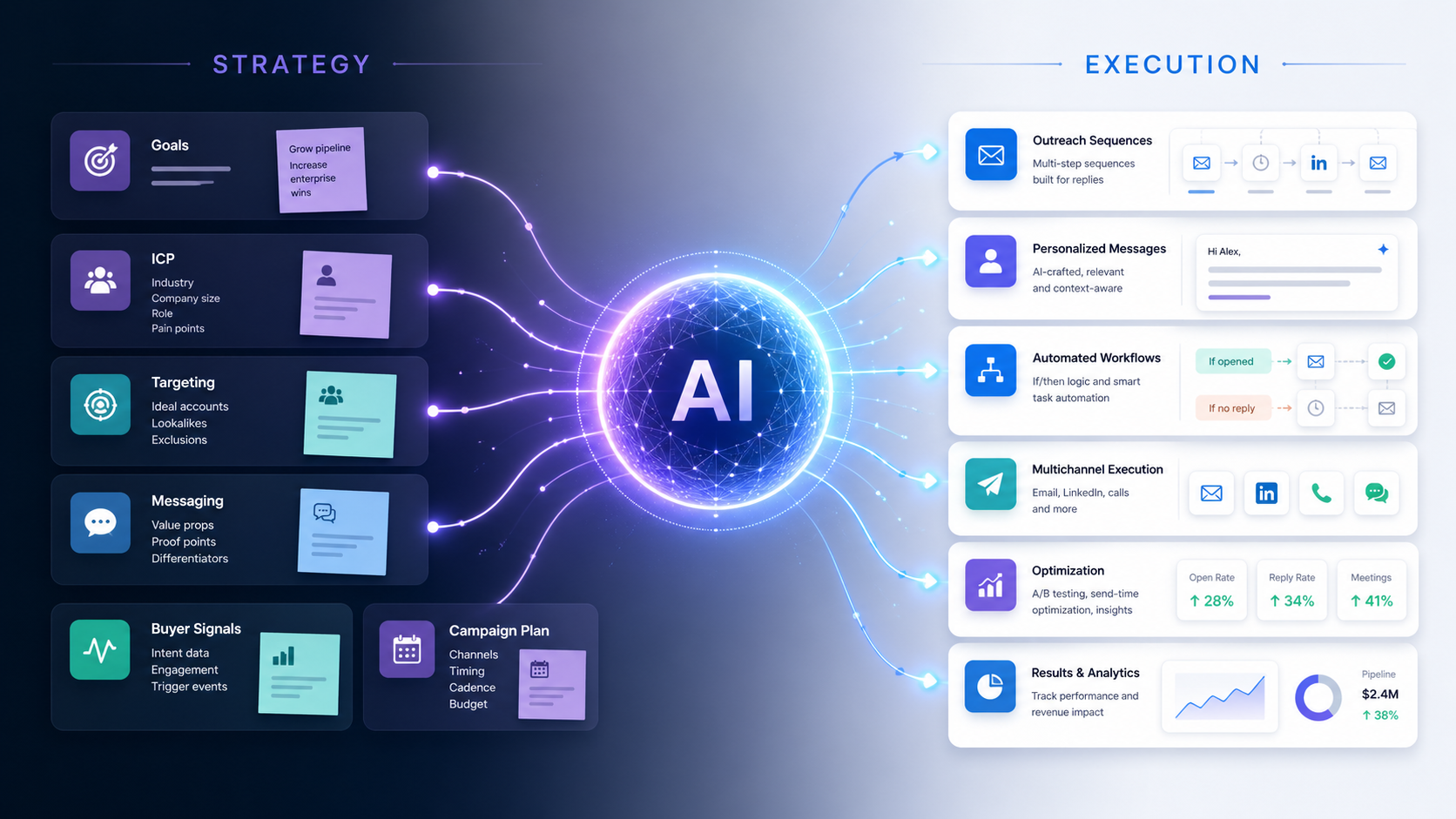
A typical outbound workflow has a lot happening at once.
Prospects enter from a source. LinkedIn actions run. Emails go out. Follow-ups wait for certain delays. Conditions route people based on connection status, replies, or engagement. Seats rotate. Inboxes fill up. Reports update.
When results are weak, teams often blame the obvious thing first.
The copy.
Sometimes that is fair. Bad messaging can sink a campaign.
But workflow problems are not always copy problems. A strong message can underperform if it reaches the wrong audience, lands at the wrong moment, repeats a previous touch, or asks for the wrong next step.
That is why workflow review matters.
AI can look across the campaign and ask a better question than “Is this message good?”
It can ask, “Where is this campaign losing people?”
A weak workflow often starts with the source.
If the campaign pulls from a broad LinkedIn search, a loose Sales Navigator filter, an old CSV, or a mismatched CRM list, the rest of the workflow has to work harder than it should.
Messaging cannot fully fix a bad source.
AI can help by checking whether the prospects match the campaign goal before outreach begins. It can compare the list against the ICP, job titles, industries, company size, geography, and available context. More importantly, it can look for signs that the person has a real reason to care.
A list can look good on the surface and still be too messy to perform well.
For example, a campaign aimed at agency owners may accidentally include consultants, freelancers, software vendors, recruiters, and coaches because the source filter was too loose. The message may work for one group and fall flat with the rest.
Without AI, that problem may not show up until the campaign has already burned through a few hundred prospects.
AI can flag source drift earlier.
It can show when the audience has split into too many buyer types, when the list does not match the campaign goal, or when the available data is too thin to support the planned personalization.
A lot of workflows lose people at the first touch.
The message is polite. The tone is fine. Nothing is obviously wrong.
But it does not give the prospect a strong reason to pay attention.
This usually happens when the campaign tries to stay safe. The message avoids being too specific because the list is broad. The CTA stays soft because the sender does not want to be pushy. The value prop gets watered down so it can apply to everyone.
The result is a message that offends no one and interests almost no one.
AI can help by reviewing the first touch against the prospect segment and campaign goal.
Does the message name a problem the buyer likely owns? Does the angle match the role? Does the opening line earn the rest of the message? Does the CTA fit the level of interest the message has created?
If the answer is weak, AI should not just rewrite the sentence. It should push the team back to the angle.
A vague first touch is often a strategy problem wearing a copy problem costume.
Follow-ups are another common leak.
Many outbound workflows are built around the idea that persistence wins. The prospect does not reply, so the system sends another message. Then another. Then another.
That can work when each follow-up adds something.
It fails when every message is just a different version of “checking in.”
AI can spot when follow-ups repeat the same idea without giving the prospect a new reason to respond. It can compare each step against the previous one and ask whether the message adds context, changes the angle, lowers the ask, or makes the conversation easier to start.
A good follow-up might clarify who the product is for. It might mention a use case that fits the prospect’s role. It might point to a problem the first message did not cover. It might give the prospect a low-friction way to reply.
A weak follow-up just reminds them that they ignored you.
That is not always worth sending.
Timing issues are harder to spot because nothing looks broken.
The workflow runs exactly as built. The delays trigger. The next steps go out.
But the rhythm feels off.
A follow-up may come too soon after a connection acceptance. An email may arrive before the LinkedIn touch has created any familiarity. A second message may go out before the prospect has had time to read the first one. A campaign may keep pushing after several ignored steps.
AI can help review the workflow rhythm.
It can look at when prospects engage, where replies happen, and which steps create drop-off. If most replies come after the first LinkedIn message, the email timing may need to support that path instead of competing with it. If negative replies spike after a certain follow-up, the timing or tone may be too aggressive.
Small timing changes can make a campaign feel more natural.
They can also prevent the workflow from looking like automation.
Multi-channel outbound is powerful when the channels support each other.
It gets messy when they do not.
A prospect may receive a LinkedIn connection request, then an email with the same pitch, then a LinkedIn follow-up that repeats the email. The sender thinks they are creating multiple touchpoints. The buyer feels like they are being chased across platforms.
AI can help coordinate the channels.
The LinkedIn message and email do not need to say the same thing. They should carry the same core angle, but each touch should have a reason to exist.
LinkedIn may work better for a lighter, more conversational opener. Email may be better for a slightly fuller explanation. A follow-up may be useful if it adds a different angle or responds to behavior.
When AI can see the whole workflow, it can catch overlap. It can flag when two steps are too similar, when the sequence feels crowded, or when one channel should pause because another is getting better engagement.
That matters because multi-channel outreach should feel coordinated, not repetitive.
A lot of campaigns lose people at the ask.
The message is relevant enough to get attention, but the CTA asks for too much too early.
“Are you free for a 30-minute call next week?”
That can work when the buyer already understands the value. In many cold outbound campaigns, it is a big jump.
AI can help review whether the CTA matches the stage of the conversation.
For early outreach, a lighter ask may work better. A quick question, a permission-based next step, or a simple “worth a look?” can feel easier to answer than a meeting request.
The right CTA depends on the audience, the offer, and the level of context in the message.
AI can compare those pieces and flag when the ask feels heavier than the message can support.
This is a small workflow detail that can have a large effect on replies.
Campaign data tells part of the story.
Replies tell the rest.
A campaign may have a decent reply rate but still produce weak results. If replies are mostly “not interested,” “wrong person,” “we already use something,” or “what exactly do you do?” the workflow has a problem.
AI can read reply patterns and connect them back to the campaign.
If prospects keep saying “wrong person,” the source or targeting may be off. If they ask what the company does, the message may be too vague. If they say they are not interested right after a specific follow-up, that step may be creating pressure. If positive replies come mostly from one segment, the campaign may need to narrow.
This is where AI can be more useful than a dashboard.
A dashboard shows that replies happened. AI can help explain what those replies are telling you.
Campaigns change over time.
Someone edits a message. A new source gets added. A seat gets paused. A follow-up is changed to fix one issue and accidentally creates another. A campaign that started with a clear angle slowly turns into a collection of disconnected steps.
That drift is common, especially when multiple people manage campaigns.
AI can help keep the workflow consistent.
It can check whether each message still matches the campaign goal. It can flag when a new source does not fit the audience. It can notice when a follow-up introduces a different promise than the first message. It can help teams see when the campaign has moved away from its original strategy.
This matters because outbound performance often declines gradually.
The campaign does not break. It just gets messier.
Agencies often manage several campaigns across different clients, seats, audiences, and channels.
That makes workflow issues harder to catch manually.
One client’s campaign may have a source issue. Another may have a weak post-connection message. Another may have good replies but poor meeting conversion. Another may have an AI agent saying too much after a prospect shows interest.
Each issue requires a different fix.
AI can help agencies monitor campaigns at the workflow level instead of only reviewing top-line metrics. It can surface where the campaign is leaking, what changed recently, and which part of the workflow needs attention.
That gives the team a better way to manage quality across accounts.
It also makes client conversations easier. Instead of saying “we are testing new copy,” the agency can explain the actual issue: the source is too broad, the CTA is too heavy, the second follow-up is not adding anything, or one segment is performing much better than the rest.
Specificity builds trust.
Scaling a weak workflow usually makes the problem louder.
If the source is wrong, more volume means more wrong prospects. If the message is vague, more sends create more silence. If the follow-up feels pushy, more automation creates more negative replies.
AI can help teams avoid scaling too early.
Before increasing volume, adding seats, or expanding the audience, the system should review the campaign for weak spots. Are the right prospects responding? Are replies moving toward the campaign goal? Are the follow-ups helping? Are any steps creating unnecessary friction?
That review should happen while the campaign is running, not only after it ends.
Outbound teams should not have to wait for a campaign to underperform before they know where it broke.
AI campaign builders are useful.
But building the workflow is only the start.
The better use of AI is watching how the workflow performs once real prospects move through it. That is where the hidden problems show up.
Which step creates interest?
Which step creates confusion?
Which segment is carrying the campaign?
Which follow-up should be rewritten or removed?
Which channel is doing the real work?
Which source should be paused?
Those answers make the campaign better.
Outbound workflows have too many small decisions for teams to catch everything manually. AI can help by watching the patterns, reading the replies, and pointing out where the campaign needs attention.
That is how outbound gets better over time.
Not by sending more steps.
By finding the weak ones.